Idea Portal Configuration (Intrapreneurship)
Effectively managing an idea program within an organization allows for the collection, evaluation, and implementation of innovative suggestions from employees, customers, and other stakeholders. When setting up an ideation program, it is critical to create a collaborative and transparent environment that encourages participation and ensures that ideas can be tracked and developed effectively.
Specific settings for Idea Program
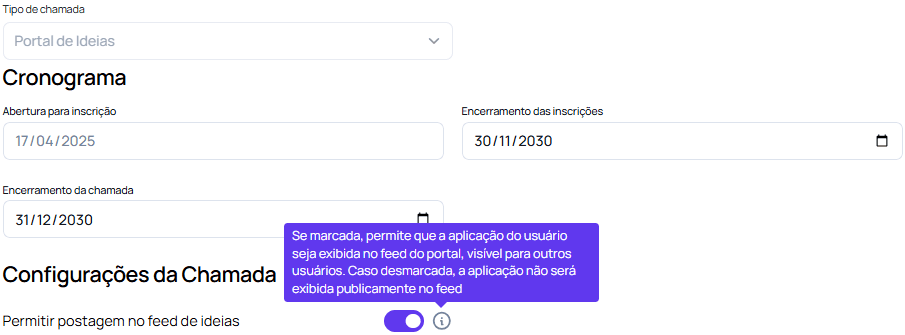
Allow posting to ideas feed
This setting enables a continuous feed on the platform where participants can post their ideas. Similar to a social network, the ideas feed allows the publication of new suggestions, discussions and updates, creating a collaborative and transparent environment. When activating this option, the “Allow Guest Applications” option must be disabled, as it is suitable for open innovation calls. The “Allow posting in ideas feed” setting allows employees registered in the program to contribute to the platform, in a specific avenue of growth, theme and challenge. This action of posting ideas is also included in the platform’s gamification scheme, which awards coins and XP to users. Internal employees can bring different perspectives and valuable contributions, depending on their area of activity, professional experience, time at the company, etc., expanding the horizon of potential solutions to the challenges faced by the organization.
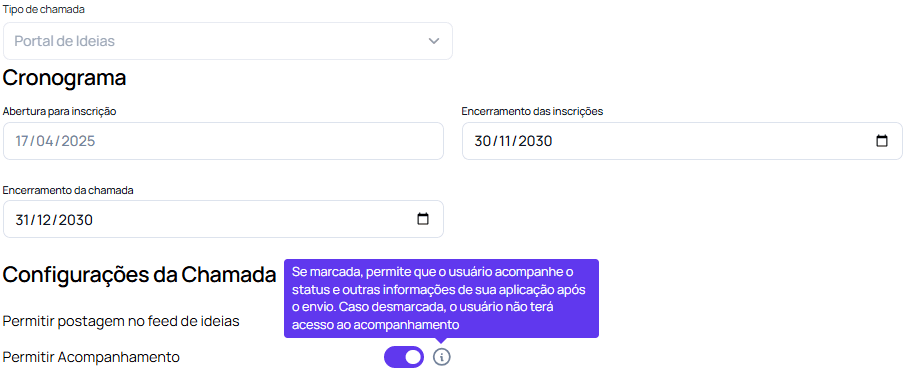
Allow Tracking
This configuration allows startups and other external entities that submit their proposals to monitor the progress of their applications from the evaluation phase with its different stages to the experiment phase, post selection. By activating this option, startups will have access to real-time updates on the status of their submissions, feedback from evaluators, and notifications on the evolution of their proposals throughout the selection and implementation process. This transparency increases engagement and collaboration, ensuring that proponents are well informed and involved during all phases of innovation.
Activating these two settings is essential for the success of an Idea Portal call, ensuring that the process is inclusive, transparent and collaborative, maximizing the chances of identifying and implementing effective innovative solutions.
Other Settings (Optional)
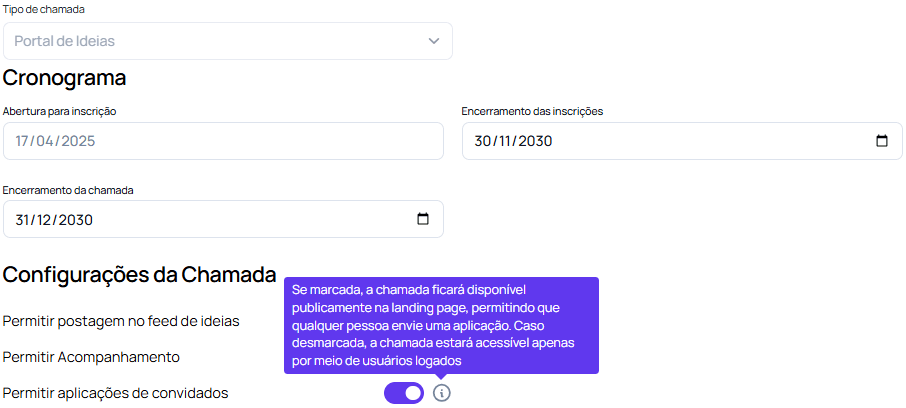
Allow Guest ApplicationThis configuration allows external actors to submit proposals without the need to be registered collaborators with the company or on the platform. This resource can be used in case of stackholders who want to get involved by contributing ideas, but not necessarily scoring and participating in the gamified process. This setup is particularly essential for open innovation calls, where diversity of perspectives is encouraged as much as possible. With this option activated, the company expands the scope of the program, allowing external innovators, such as startups and market experts, to present creative solutions to the proposed challenges, enhancing the impact and reach of the ideas captured.
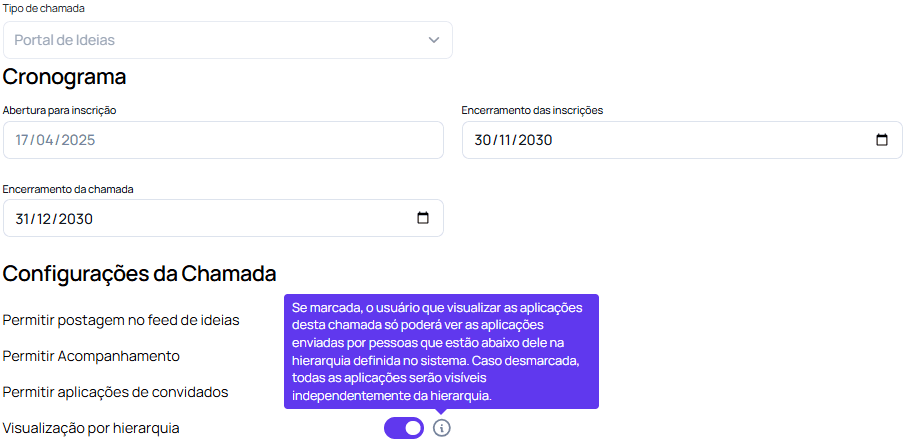
View by Hierarchy
This configuration allows users to have restricted access to applications submitted by their direct reports, instead of viewing all proposals in the system. To do this, the user must be registered as a direct supervisor in each employee’s registration. This functionality ensures a more organized and relevant view for team leaders, facilitating the monitoring of submissions that are directly under their supervision and ensuring that access to information is appropriate to the level of responsibility of each manager.
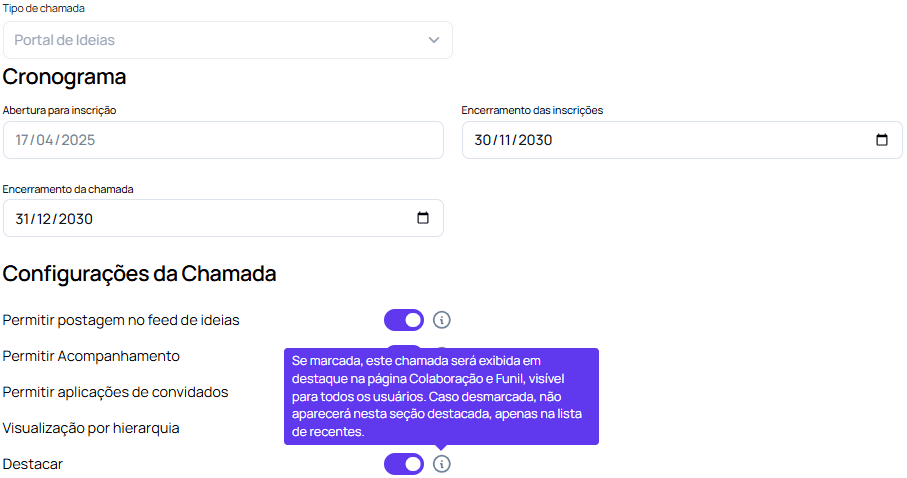
Highlight Program
This configuration uses the innovation program banner as an important visual “call to action” when accessing the platform, bringing more dynamism and attractiveness to the call. By displaying the banner prominently, the platform gives greater visibility to the program, promoting engagement and attracting the attention of employees. This configuration is useful as an internal marketing point, reinforcing the importance of the call and encouraging the active participation of those involved in the innovation process.
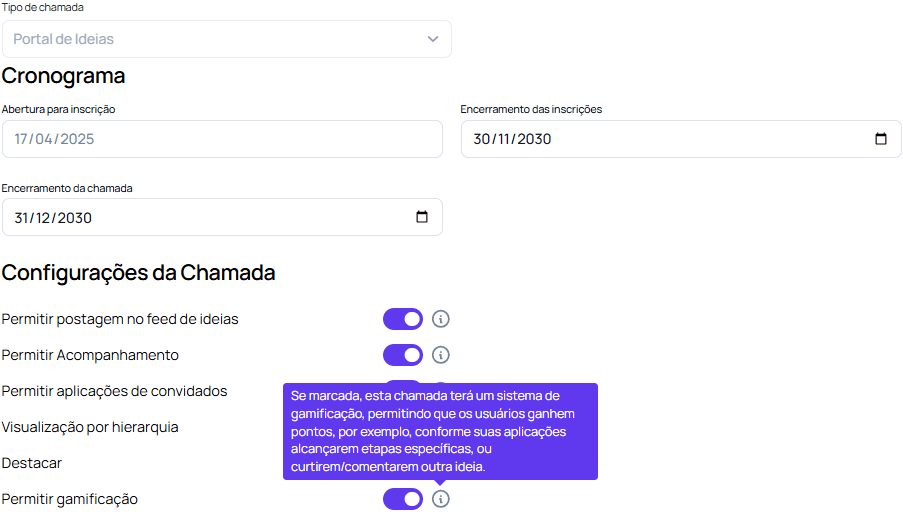
Allow Gamification
This configuration activates a gamification system in the call, encouraging active participation from users through point rewards. By engaging in actions such as advancing their applications through specific stages, liking or commenting on proposals from other participants, users accumulate points and strengthen their presence on the platform. This playful dynamic encourages interaction, collaboration and continuous engagement throughout the innovation process, promoting a more participatory and motivating environment for everyone involved.
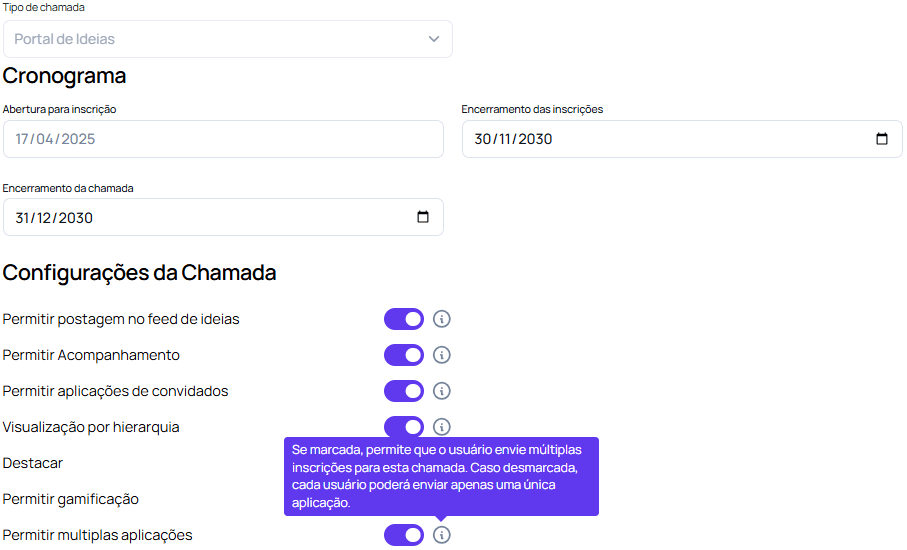
Allow multiple applications
This configuration allows the same user to submit more than one application for the same innovation call. By activating this option, the platform allows participants to submit several different proposals, expanding the possibility of contributing with varied solutions to the proposed challenges. This is particularly useful on larger or complex calls, where the same participant may have different ideas or approaches they want to explore.
Allow users to participate in the ideaThis setting enables functionality that allows users to directly interact with ideas posted in the call feed, encouraging collaboration and engagement among participants. When checked, a button will be displayed next to the ideas in the feed, allowing other users to express interest or join these proposals.
 This option displays a numeric field next to it, which refers to the total number of users who can participate in the idea.
These are the settings available to create an intrapreneurship ideas program. After that, continue setting up the call.